
Prerequisites
Before you begin, make sure you have:- The host and port of your Trino coordinator (TLS, default
8443). - Credentials Modus can use — either a username and password, or a JWT minted by your identity provider.
- Read access to the catalogs and schemas you want Modus to use as context.
Set up read-only access
Trino access control is deployment-specific, but the principle is the same: give Modus an identity that can connect, list catalogs and schemas, andSELECT
from the schemas you want it to use as context — nothing more.
- Username / password — use an existing read-only account, or create one in your Trino authentication backend (LDAP, password file, etc.).
- JWT — configure your identity provider to mint a bearer token for the Trino coordinator; Modus derives the identity from the token.
SELECT 1, SHOW CATALOGS, SHOW SCHEMAS, and
SELECT on the target schemas. No write access is required.
Network access
If your Trino cluster is behind a firewall or security group, allow Modus’s egress IP addresses so it can reach the coordinator. See IP Allowlisting.Connect in Modus
1
Open the Trino connection form
- Log into Modus.
- Click Integrations in the left sidebar.
- Find the Trino card under Databases and click Connect.
2
Fill in the connection details
Complete the form using the field reference
below. Choose your Authentication Method — the form shows the matching
fields (password or JWT).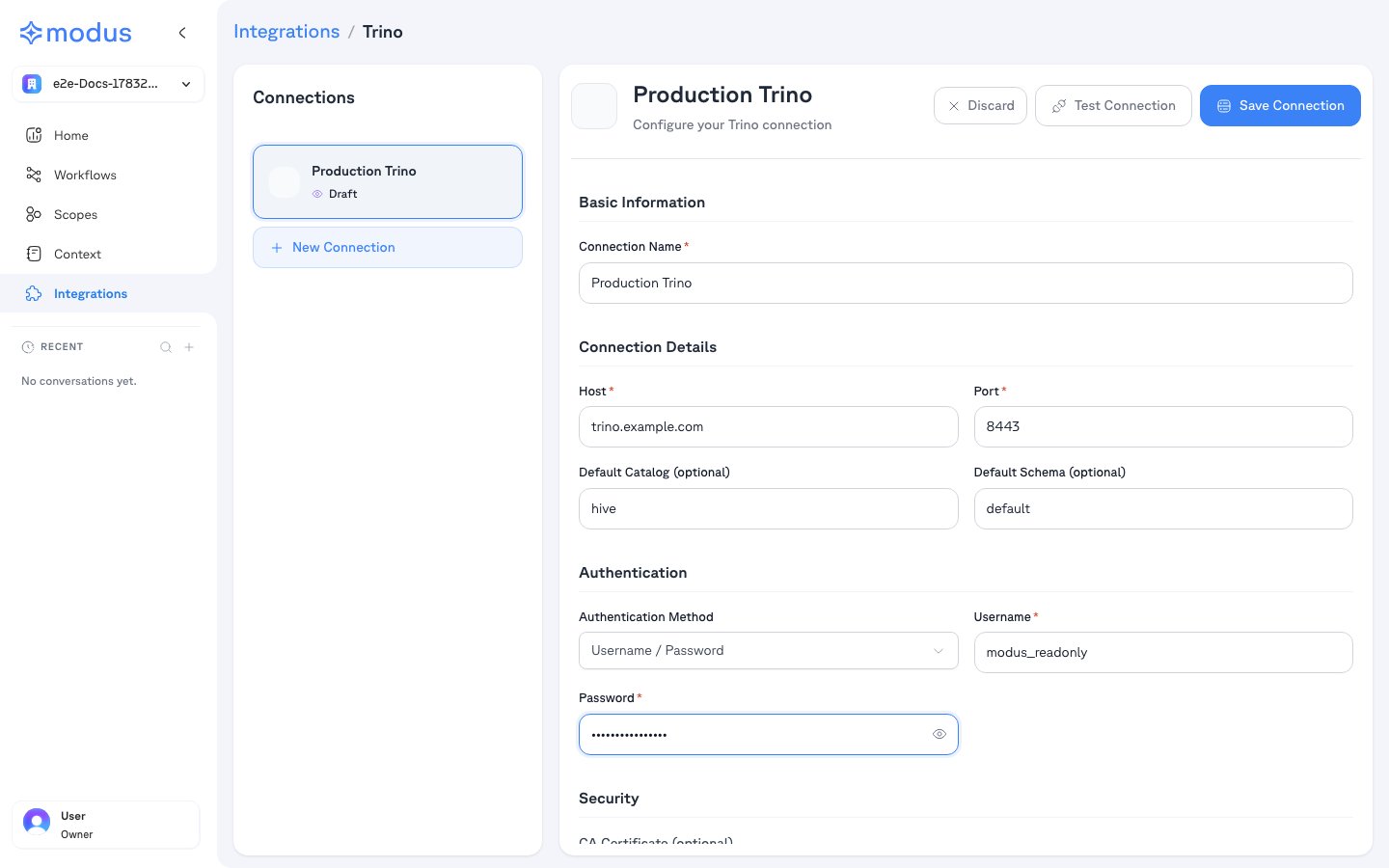
3
Test and save
- Click Test Connection to verify Modus can reach your cluster.
- Click Save Connection.
4
Select schemas
After saving, Modus lists the catalogs and schemas your identity can access.
Select the ones you want Modus to use as context, then save. Nothing is
scanned without your explicit selection.
Connection form field reference
Troubleshooting
Verification
Your Trino cluster is now connected. Modus turns the selected catalogs, schemas, tables, and columns into context so Modus can give accurate, data-aware answers. Need help? Contact us at support@getmodus.com.Modus connects read-only and requests only the minimum permissions needed to
understand and query your data. All credentials are encrypted and stored in AWS
Secrets Manager — never in plaintext.