
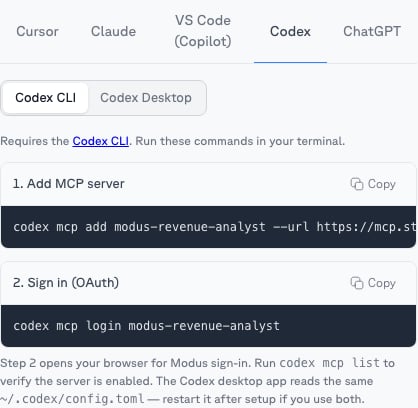
Codex CLI
The most focused setup is a single scope. Open the scope’s MCP tab → Codex and copy its ready-made commands:codex mcp login opens the Modus sign-in in your browser — approve access and
choose your organization. To connect all of Modus instead, use the org-level
URL from Account → MCP:
Codex desktop app
Add Modus in the app’s MCP settings, or directly in~/.codex/config.toml — use
a scope’s URL (from its MCP tab) or the org-level URL: