
Prerequisites
Before you begin, make sure you have:- A Looker instance with admin access (or access to the Admin console).
- A service account in Looker with the appropriate roles — or permissions to create one.
Looker Setup
1
Get your Looker Host URL
- In the Looker UI, open the Admin console from the left navigation pane.
- Go to General > Settings.
- Copy the Host URL — you’ll need this when connecting in Modus.
2
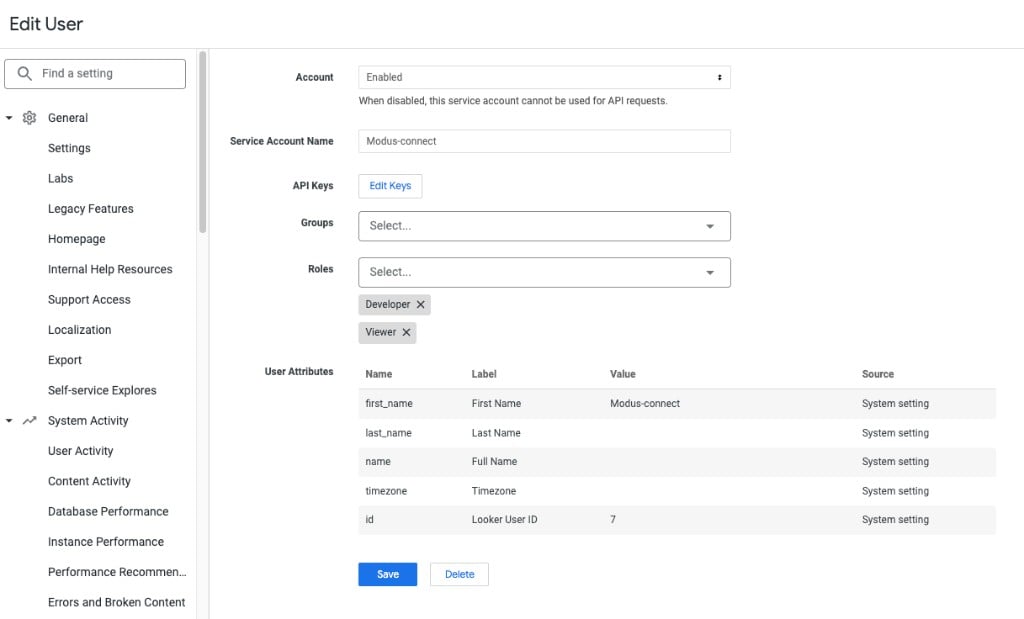
Open (or create) a service account
- In the Admin console left navigation pane, scroll down and click Users.
- Switch to the Service Accounts tab.
- If you already have a service account for Modus, click it to open the edit page. Otherwise, click + New Service Account to create one.
- Give the service account a descriptive name (e.g.
Modus-connect). - Assign the Developer and Viewer roles so Modus can read your LookML models and explores.
Using a custom role instead
Using a custom role instead
If you’d rather not grant the built-in Developer and Viewer roles,
you can create a custom role for Modus. The role needs the following
permissions:
access_datasee_user_dashboardssee_lookml_dashboardssee_lookmlsee_sqlexplore
- Model Set — access to all models.
- Folders — access to all folders.
3
Generate API credentials
- On the service account’s edit page, find the API Keys section.
- Click Edit Keys.
- Create a new API key (or use an existing one).
- Copy the Client ID and Client Secret — you’ll enter these in Modus.
Connect in Modus
1
Open the Integrations page
- Log into Modus.
- Click Integrations in the left sidebar, then select Looker.
- Click + New Connection.
2
Fill in connection details
Enter the following details using the values you gathered from Looker: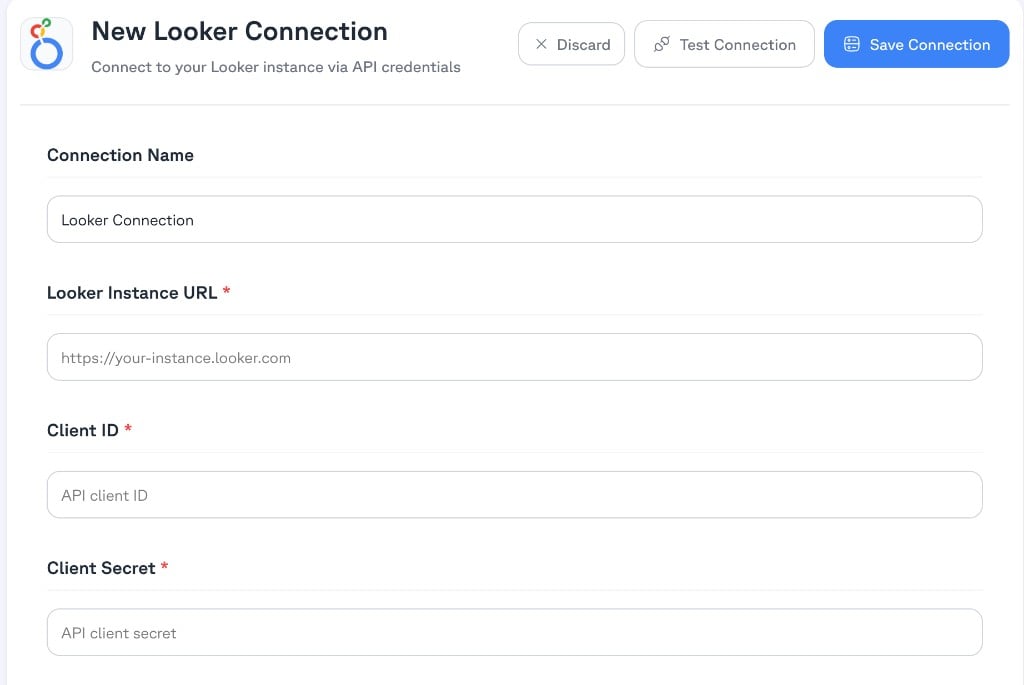
3
Test and save
- Click Test Connection to verify Modus can reach your Looker instance.
- Click Save Connection.
Connection form field reference
Verification
Your Looker instance is now connected. Modus will begin cataloging your LookML models, explores, and dashboards so that Modus can provide context-aware answers about your data.All credentials are encrypted and stored securely. Modus only requests the
minimum permissions needed to read your Looker metadata.