
Prerequisites
Before you begin, make sure you have:- A Databricks workspace with Unity Catalog.
- A SQL warehouse (or cluster) that is running — Modus queries through its HTTP endpoint.
- Permission to create an access token and grant read access (see below).
Set up access
1
Get your Server Hostname and HTTP Path
In Databricks, open SQL Warehouses, select your warehouse, and open the
Connection details tab. Copy the Server hostname (without
https://)
and the HTTP path (e.g. /sql/1.0/warehouses/abc123).2
Create an access token
Modus authenticates with a token — either a personal access token or a
service principal token (recommended for production).
- Personal access token: Settings → Developer → Access tokens → Generate new token.
- Service principal: create a service principal, then generate an OAuth/token for it.
3
Grant read access
Grant the token’s principal read access to the catalogs and schemas Modus
should use as context. In a Databricks SQL editor, run:Replace
<principal> with the user email or service principal application ID.
Repeat the schema grants for each schema you want Modus to use.Modus reads table and column metadata from each catalog’s
INFORMATION_SCHEMA,
which is covered by the grants above. No write access is required.Network access
If your workspace restricts inbound access with an IP access list, allow Modus’s egress IP addresses. See IP Allowlisting.Connect in Modus
1
Open the Databricks connection form
- Log into Modus.
- Click Integrations in the left sidebar.
- Find the Databricks card under Databases and click Connect.
2
Fill in the connection details
Complete the form using the field reference below.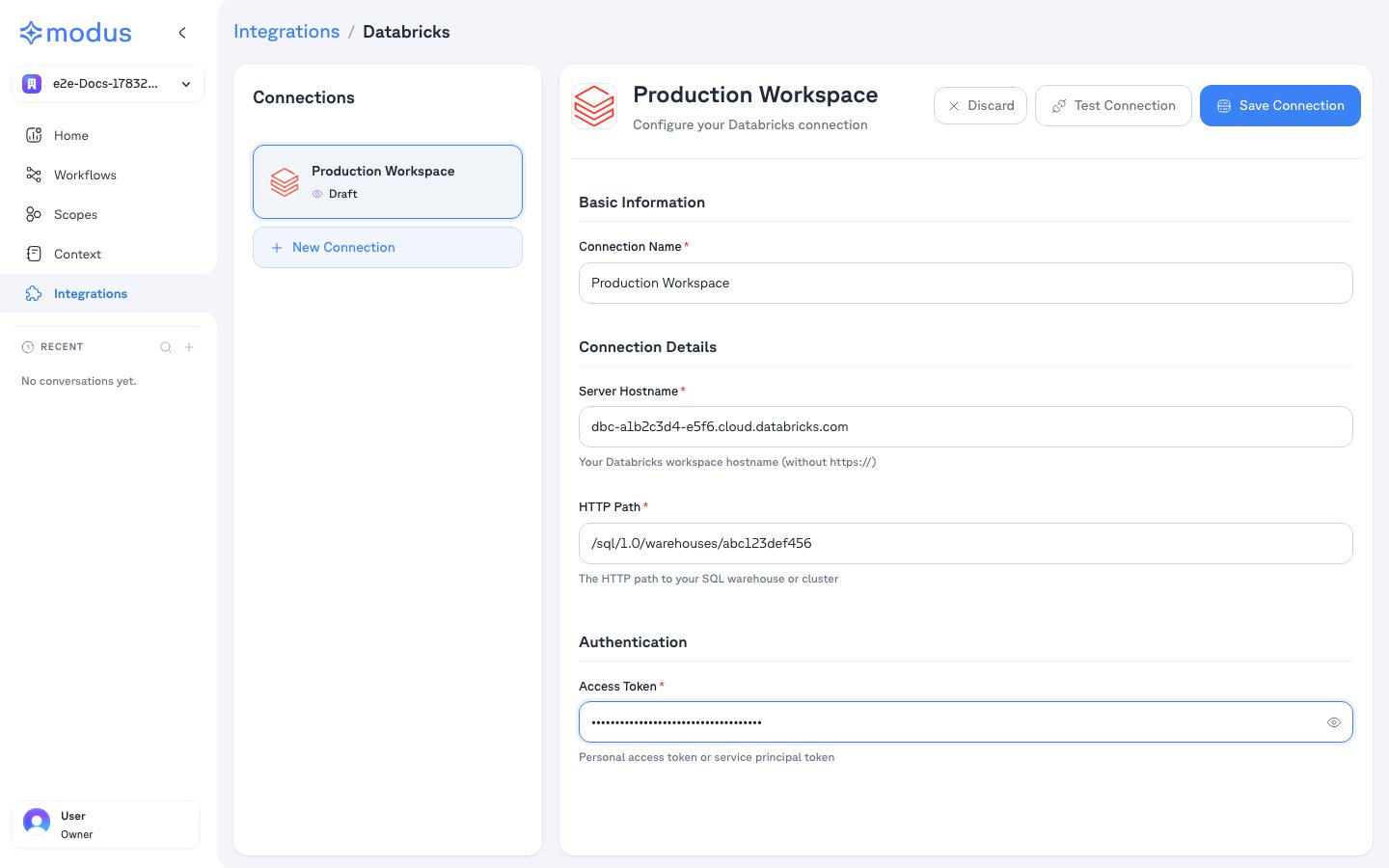
3
Test and save
- Click Test Connection to verify Modus can reach your workspace.
- Click Save Connection.
4
Select schemas
After saving, Modus lists the catalogs and schemas the token can access.
Select the schemas you want Modus to use as context, then save. Nothing is
scanned without your explicit selection.
Connection form field reference
Troubleshooting
Verification
Your Databricks workspace is now connected. Modus turns the selected catalogs, schemas, tables, and columns into context so Modus can give accurate, data-aware answers. Need help? Contact us at support@getmodus.com.Modus connects read-only and requests only the minimum permissions needed to
understand and query your data. All credentials are encrypted and stored in AWS
Secrets Manager — your token is never stored in plaintext.