
Prerequisites
Before you begin, make sure you have:- The host and HTTP port of your ClickHouse server (
8443for HTTPS,8123for HTTP). - Admin access to create a read-only user (or an existing user Modus can use).
- Network access from Modus to your server (see Network access).
Modus connects over the ClickHouse HTTP interface (8443/8123), not the
native protocol (9000/9440). Use the HTTP port when filling the form.
Set up a read-only user
Modus only ever reads your data. Create a dedicated read-only user and grant itSELECT on the databases you want Modus to use as context. Run the following as
an admin:
<database> with each database you want Modus to use (repeat the grant
per database), and <strong-password> with a strong password.
ClickHouse’s
system tables (system.databases, system.tables,
system.columns) are readable by default, so Modus can discover your metadata
without extra grants.Network access
ClickHouse Cloud and firewalled deployments restrict inbound access by IP. Allow Modus’s egress IP addresses so it can reach your server. See IP Allowlisting.Connect in Modus
1
Open the ClickHouse connection form
- Log into Modus.
- Click Integrations in the left sidebar.
- Find the ClickHouse card under Databases and click Connect.
2
Fill in the connection details
Complete the form using the field reference
below. Keep Use SSL/TLS (HTTPS) enabled for secure connections (port 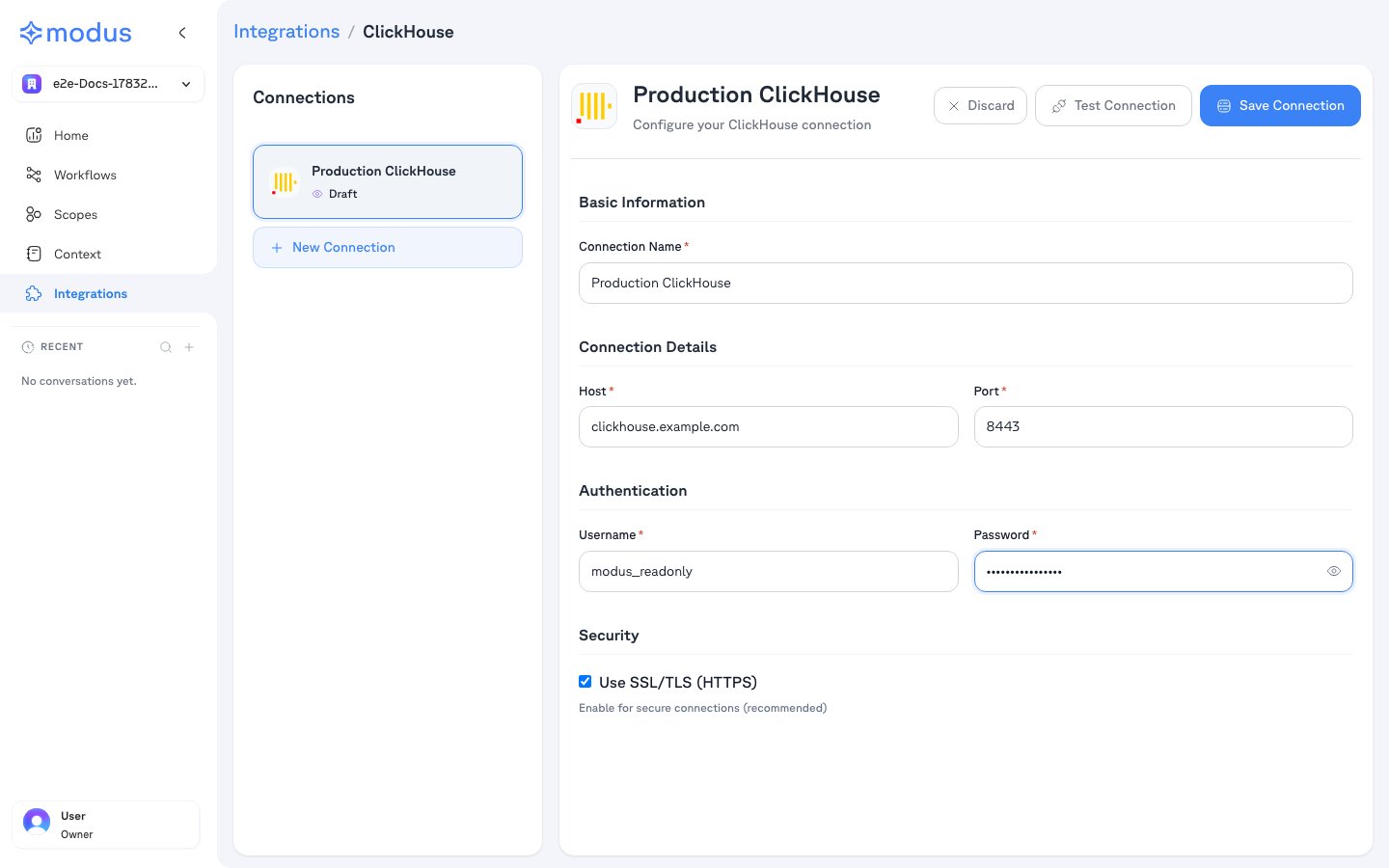
8443).3
Test and save
- Click Test Connection to verify Modus can reach your server.
- Click Save Connection.
4
Select databases
After saving, Modus lists the databases the user can access. Select the ones
you want Modus to use as context, then save. Nothing is scanned without your
explicit selection.
Connection form field reference
Troubleshooting
Verification
Your ClickHouse database is now connected. Modus turns the selected databases, tables, and columns into context so Modus can give accurate, data-aware answers. Need help? Contact us at support@getmodus.com.Modus connects read-only and requests only the minimum permissions needed to
understand and query your data. All credentials are encrypted and stored in AWS
Secrets Manager — your password is never stored in plaintext.